GIF Compressor
Make a GIF smaller
Drop a GIF here
or choose a file from your device
GIF Compressor Online: Reduce GIF File Size for Free
This is a free online GIF compressor. Open a GIF, pick how much smaller you want it, and download a lighter file that still looks good. There is no account to create, no watermark on the result and nothing to install, and your GIF is never uploaded to a server.
A GIF that is too big will not attach to an email, gets rejected by a chat app or makes a web page slow. Compressing it fixes all three. If you also need to trim, crop, flip or change the speed of the GIF, our full GIF editor on the home page does that too.
GIF Compressor Features
Three ways to shrink a GIF, from one tap to full control.
- One-tap presets: Choose Light, Balanced, Strong or Extreme. Balanced is the best starting point for most GIFs, and Extreme gives you the smallest file.
- Target file size: Need a GIF under 500 KB or 1 MB? Type the size and the compressor tries gentle settings first, then gets stronger until the file fits.
- Custom controls: Fine-tune the width, the number of colors, how many frames to keep and the lossy level, and see the output size before you start.
- Smart optimization: The compressor stores only the pixels that change from one frame to the next and merges identical frames. Screen recordings and cartoons can shrink by a large margin without any visible loss.
- See the savings: When the GIF is ready you get a preview, the new size and exactly how much smaller it is than the original.
- Private by design: Your GIF stays on your device. It is not uploaded anywhere, and closing the tab clears everything.
- Works on phones and tablets: The layout adapts to any screen and every control is sized for touch, so you can compress a GIF on your phone as easily as on a laptop.
How to compress a GIF in 3 steps
The whole process takes less than a minute.
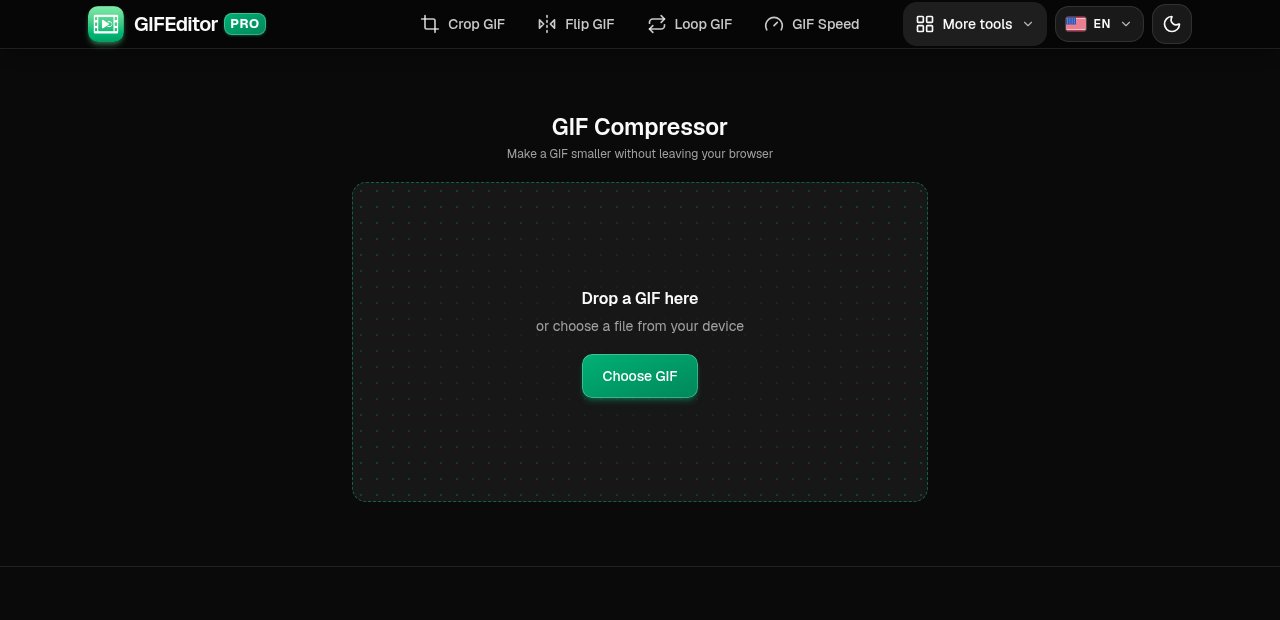
Open your GIF
Drag a GIF onto the page or tap the button to pick one from your device. You will see its current size, dimensions and number of frames.
On this screen
- Choose GIF: opens your file picker. On a desktop you can also drop a file on the page.
Choose how much to compress
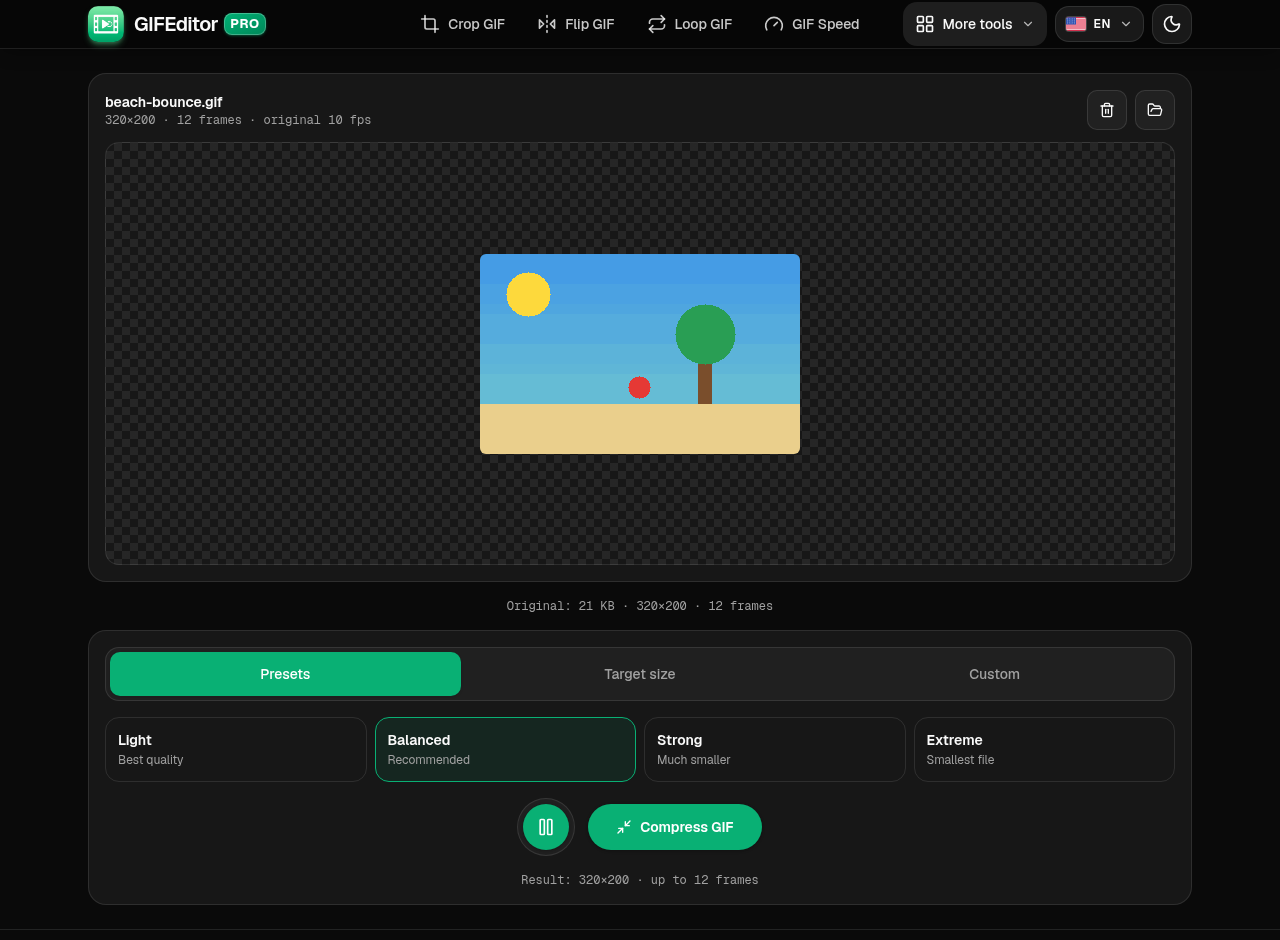
Pick a preset, type a target file size or switch to Custom for full control. The line under the controls shows the size of the result.
Where everything is
- Presets: Light, Balanced, Strong and Extreme.
- Target size: the compressor works until the file fits.
- Custom: width, colors, frames and lossy level.
Compress and download
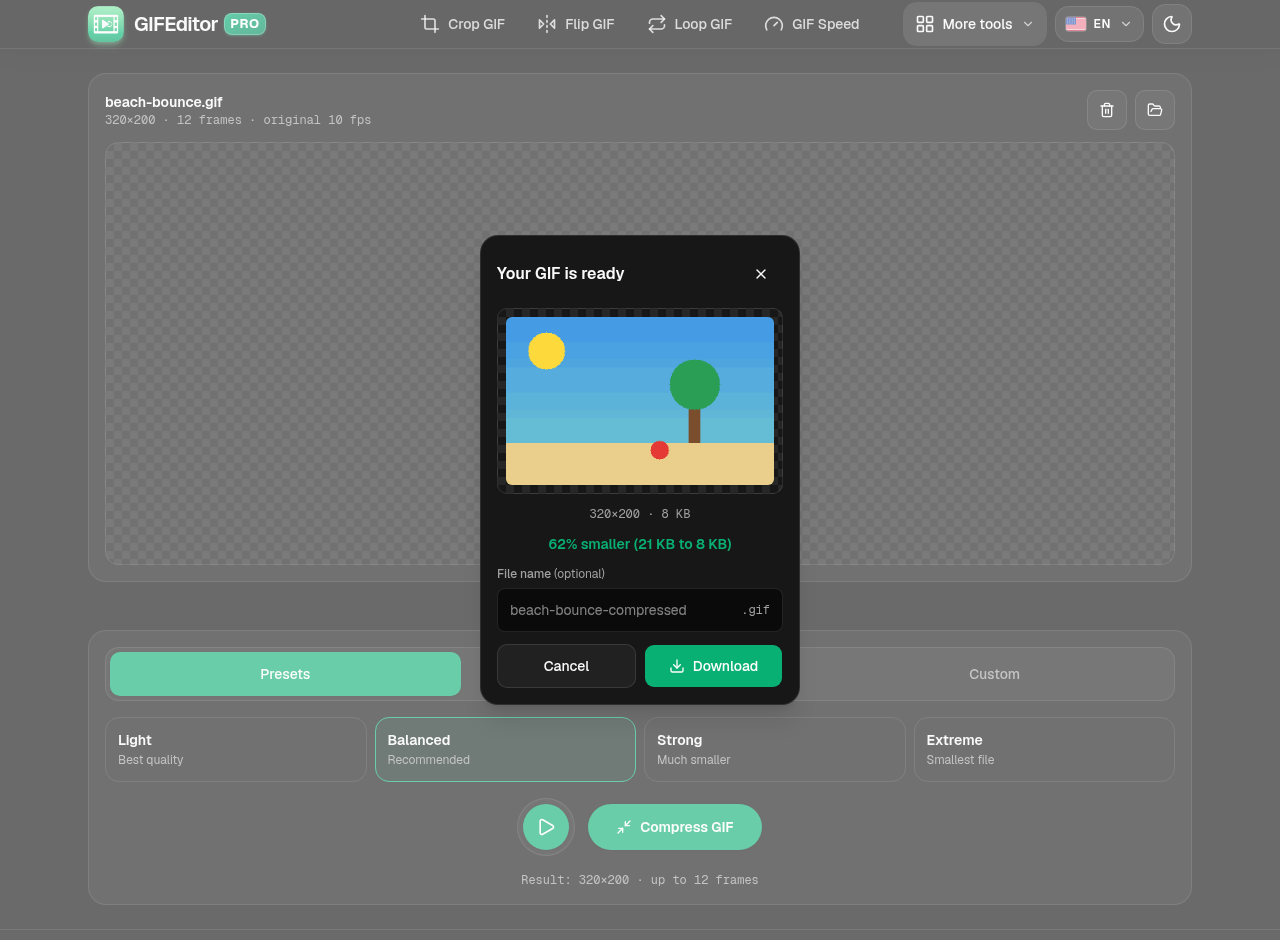
Press Compress GIF. When it finishes you see the preview, the new file size and how much you saved. Rename the file if you like, then download it.
In the dialog
- Preview: the compressed GIF with its dimensions and size.
- Savings: how much smaller it is than the original.
- Download: saves the GIF to your device.
Frequently asked questions
How do I reduce the size of a GIF?
Open the GIF, pick a preset such as Balanced and press Compress GIF. For a bigger reduction use Strong or Extreme, or lower the width and the number of colors in Custom.
Does compressing a GIF reduce its quality?
Usually a little. Light and Balanced are almost impossible to tell apart from the original, especially on screen recordings. Strong and Extreme trade some detail, colors and smoothness for a much smaller file.
How do I get a GIF under a certain size?
Choose Target size, type the limit in KB and press Compress GIF. The compressor tries gentle settings first and gets stronger until the file fits. If the limit is too small for the GIF, you get the smallest result it could make.
Is this GIF compressor really free?
Yes. You do not need an account, there is no watermark on your GIF and there are no hidden limits.
Is my GIF uploaded to a server?
No. The compression happens on your device and your file never leaves it. A refresh or closing the tab discards your work, so we warn you before you leave with a GIF open.
Why did my GIF barely get smaller?
Some GIFs, such as photos and busy video clips, change in every pixel on every frame, so there is little to save at gentle settings. Try Strong or Extreme, lower the width, or keep fewer frames.
Can I compress a video?
This tool is made for GIF files. To turn a video into a small GIF, open it in the GIF editor on the home page, trim it, choose a smaller width and create the GIF.
Does it work on iPhone, Android and tablets?
Yes. It works on phones and tablets, and the controls are sized for touch. Very long or large GIFs can be heavy for a phone.